Competency Overview
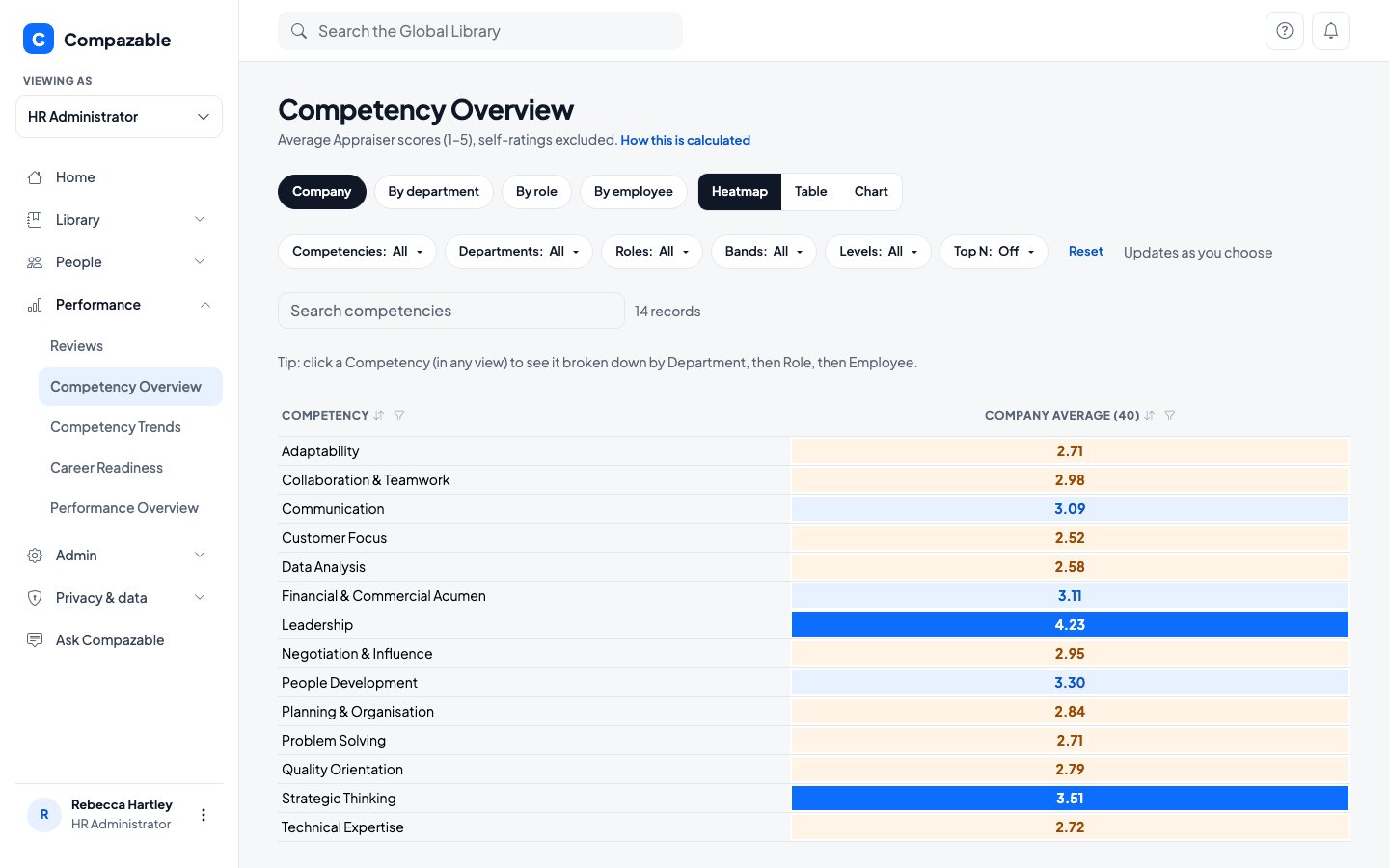
Start with the whole company, then drill into a department, a Role or one person. The heatmap shades the weakest Competencies so you can see them at a glance.

Five screens turn your review data into decisions: where to spend on training, who is ready to move up, and what changed after you did.
Shown as Rebecca Hartley, Head HR, at Brightwave Technologies: a fictional company with 40 employees and two years of reviews. Every name and number is demo data.
Start with the whole company, then drill into a department, a Role or one person. The heatmap shades the weakest Competencies so you can see them at a glance.

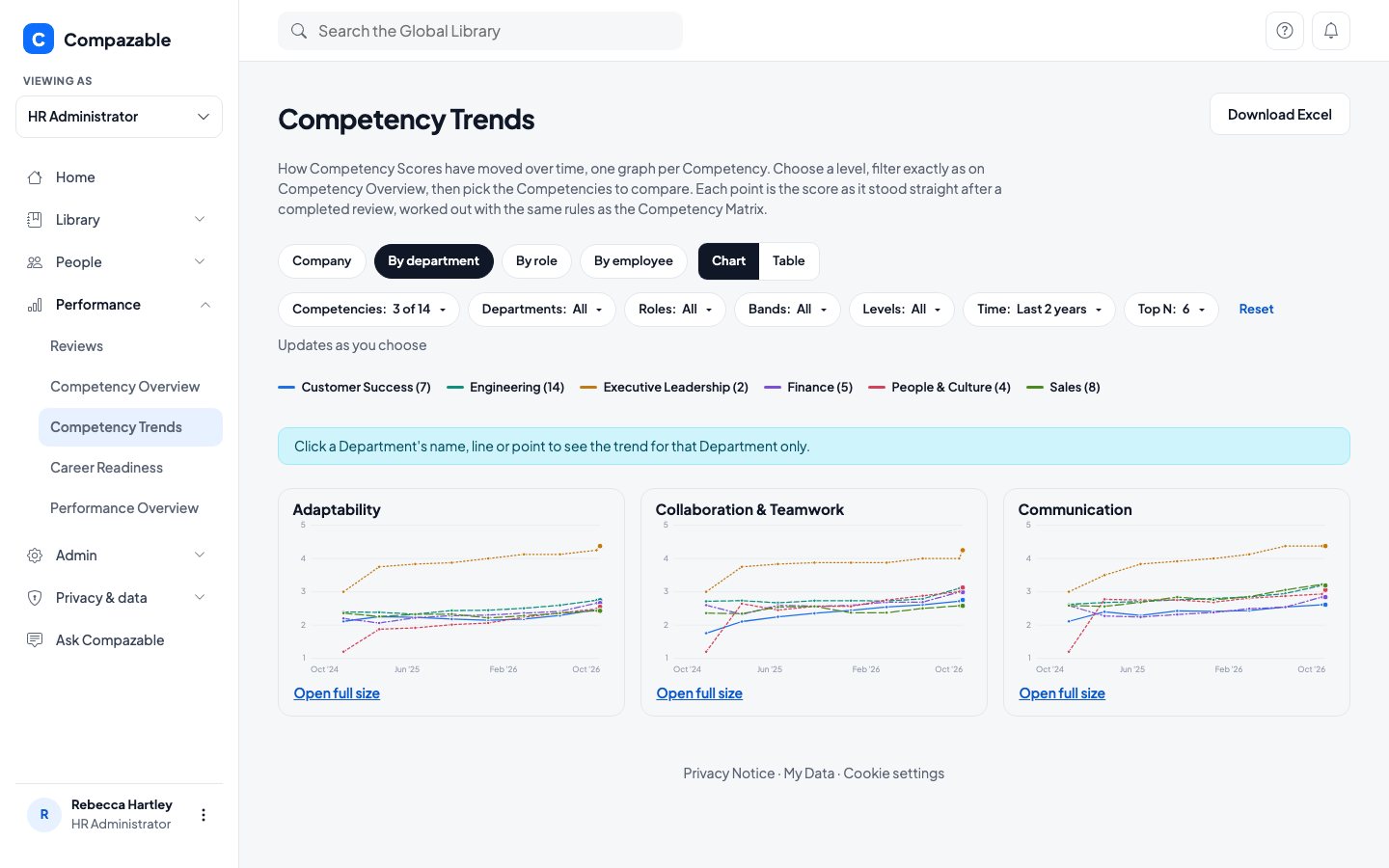
One line per department, one point per completed review. Train a group, then come back after the next cycles and see whether its line moved.

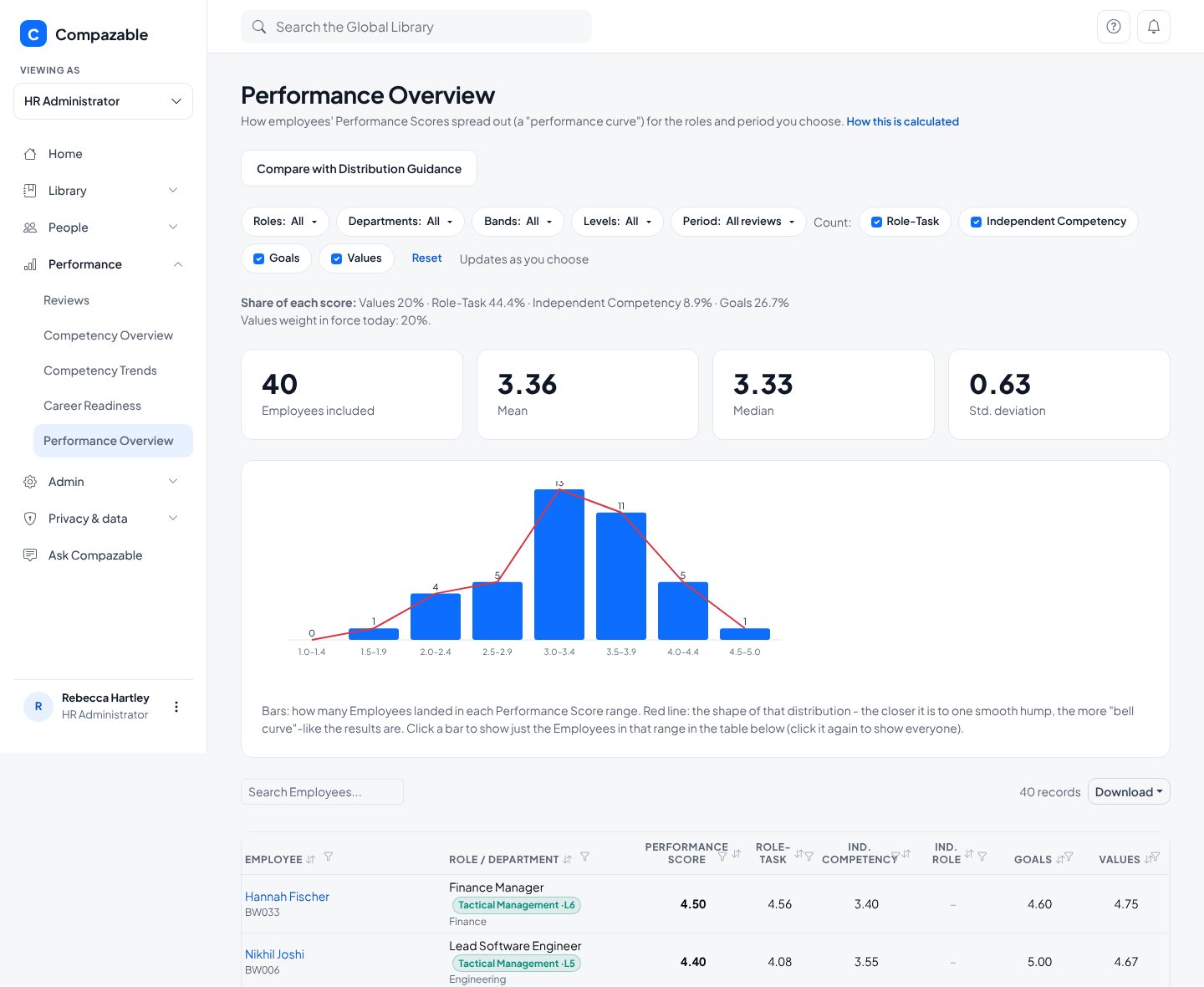
Every employee's Performance Score, with the Role-Task, Competency, Goals and Values parts side by side. The bars show how scores spread, and the red line shows how close that is to a bell curve.

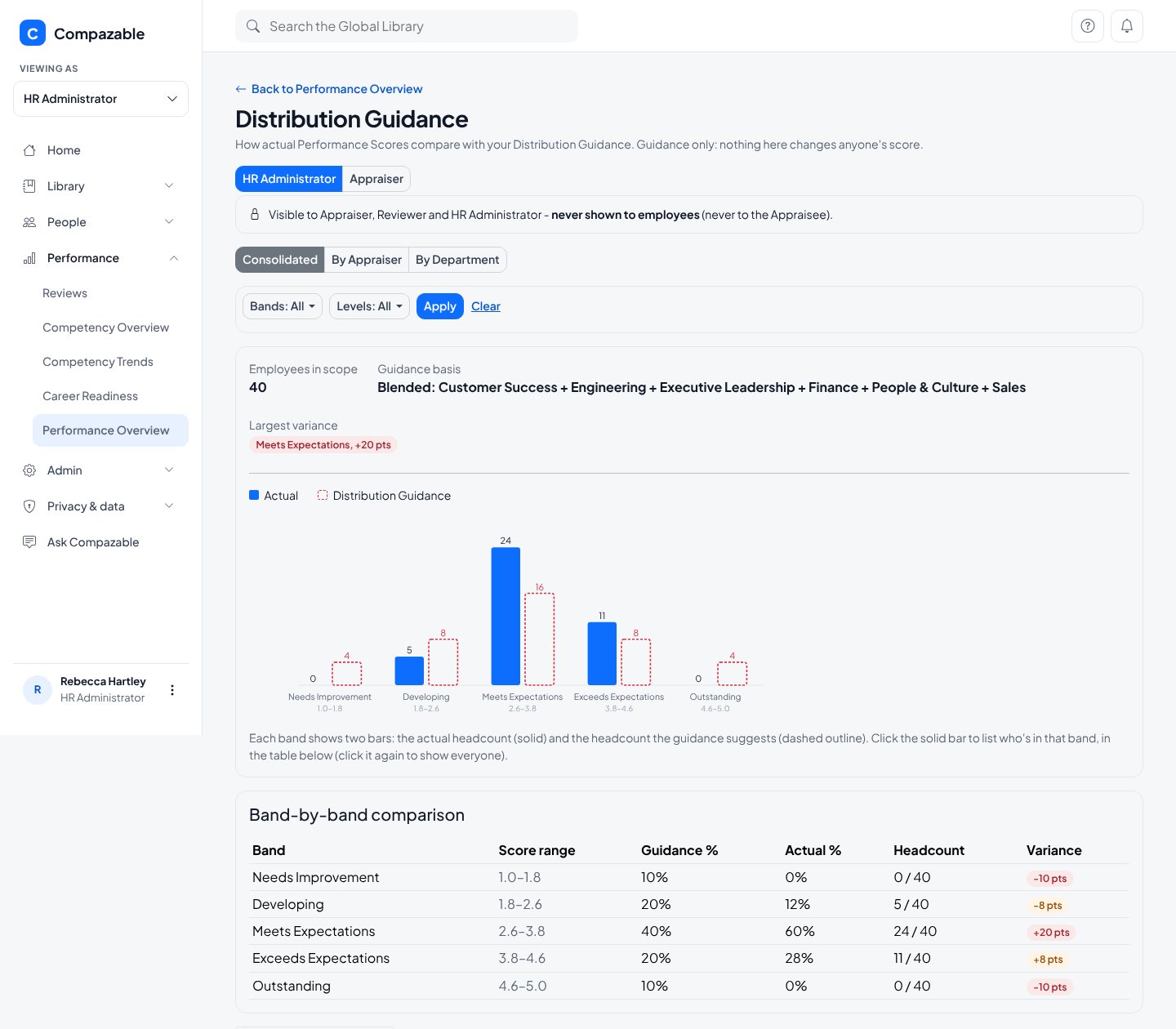
Compare the actual spread of scores with the guidance you set, by department if you like. It is guidance for calibration conversations. Nothing here changes anyone's score.

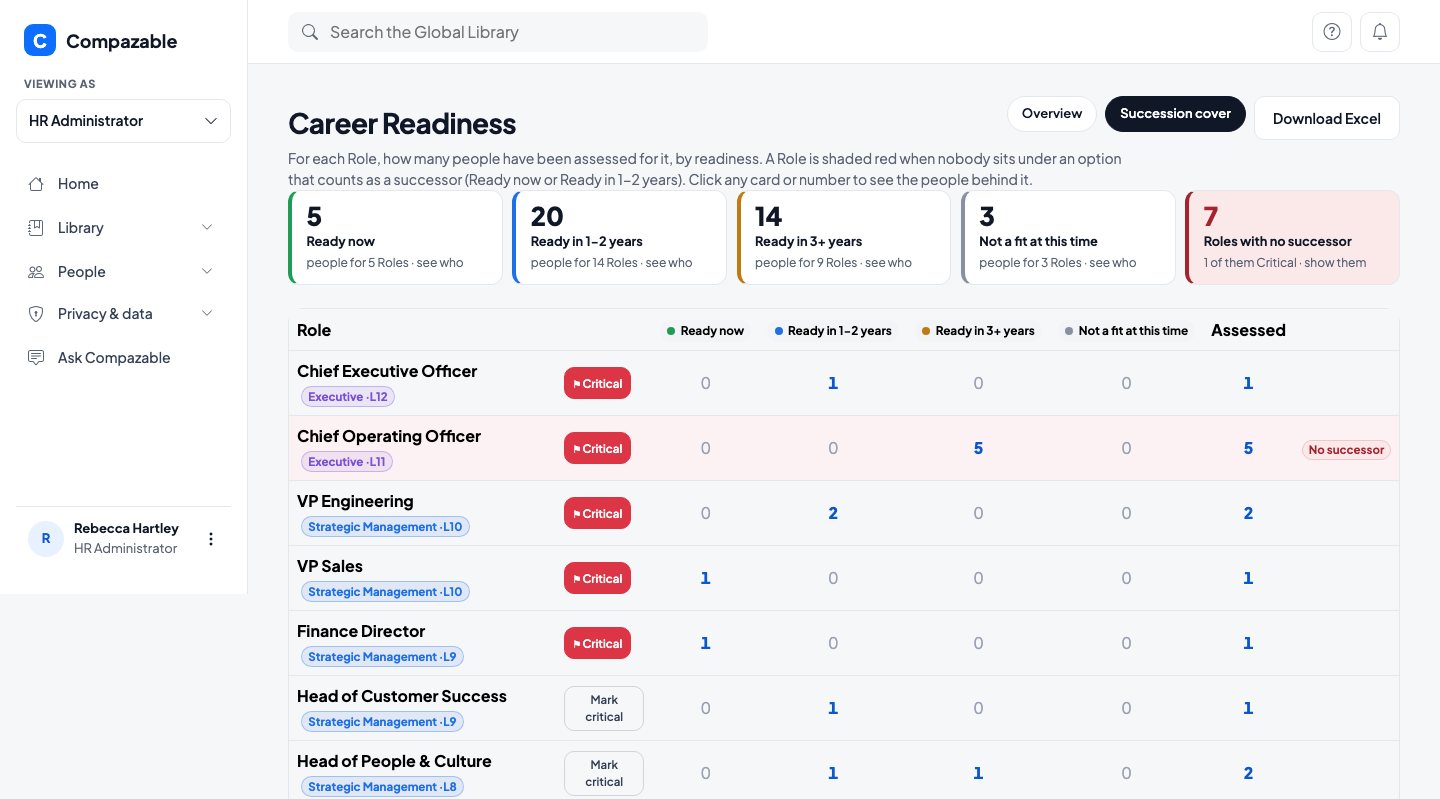
For every Role, how many people are ready now, ready in one to two years, or ready in three or more. Roles with nobody who counts as a successor are shaded red, and Critical Roles carry a flag.

HR Administrators use these same screens. A Chief Executive can open them in a read-only Auditor view that sees everything and changes nothing. Managers only see their own people.
Bring your own Roles and Competencies. A 60 minute working session built around your real setup, with no preparation needed on your side.