For employees

Know what is expected, track your Goals and see where you could go next.

Your reviews, your Goals and Values, your growth over time and the Roles you could move to, in one place you can open at any time.

Shown as Olivia Grant, Senior Software Engineer, at Brightwave Technologies. Every name and number is demo data.

A walk through your screens

In the order you would use them.

Step 1

Home

Your reviews at a glance: self-evaluations to complete, your Goals, your Competency profile and the history of every review, with its status.

What to noticeThe profile is built from your manager's scores, on a 1 to 5 scale, and leaves out self-ratings. Where your company switches it on, you see your own Competency Scores.
Brightwave Technologies · demo data
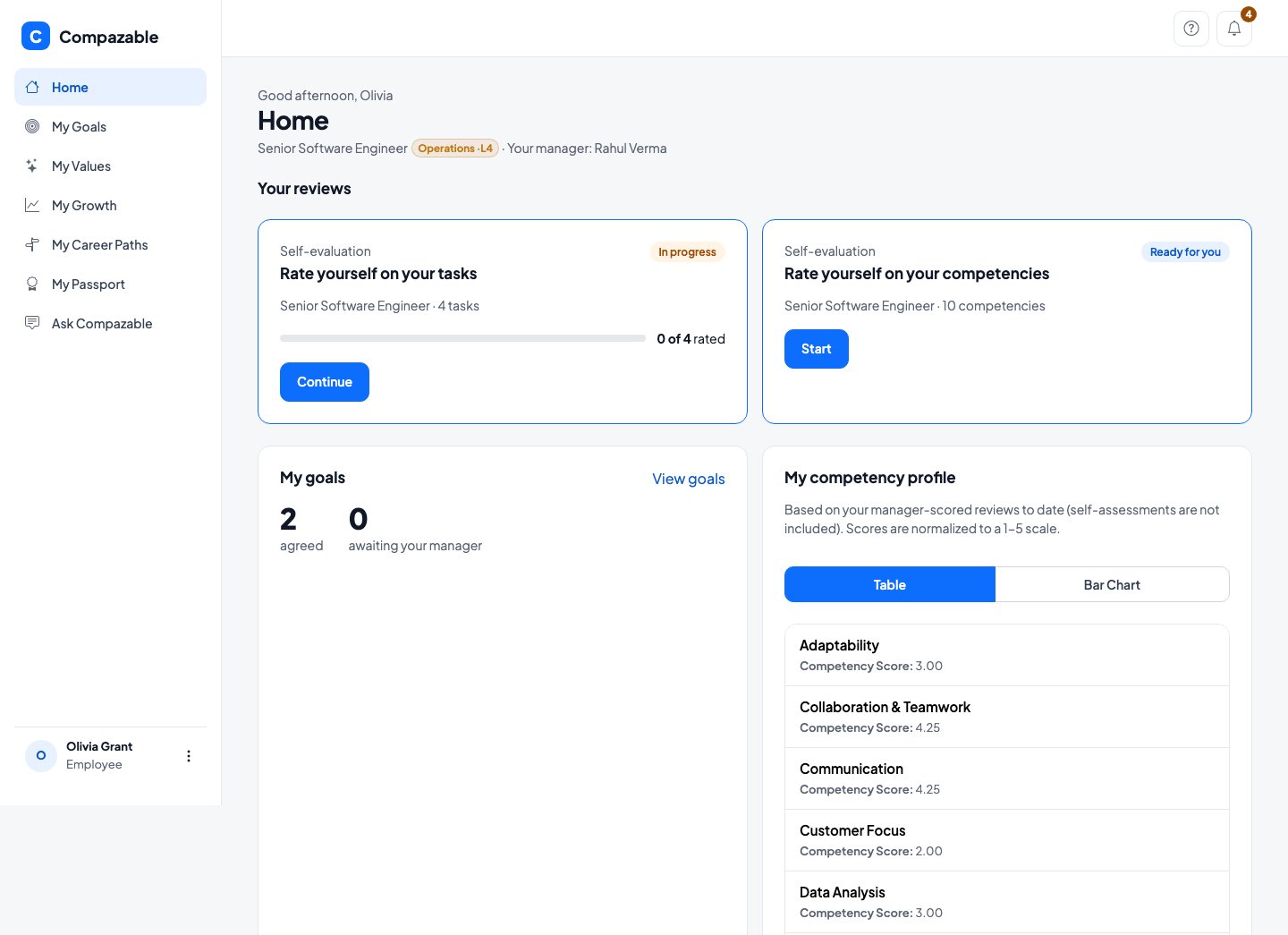
Employee home screen with two self-evaluation cards, a goals summary and a competency profile table
Step 2

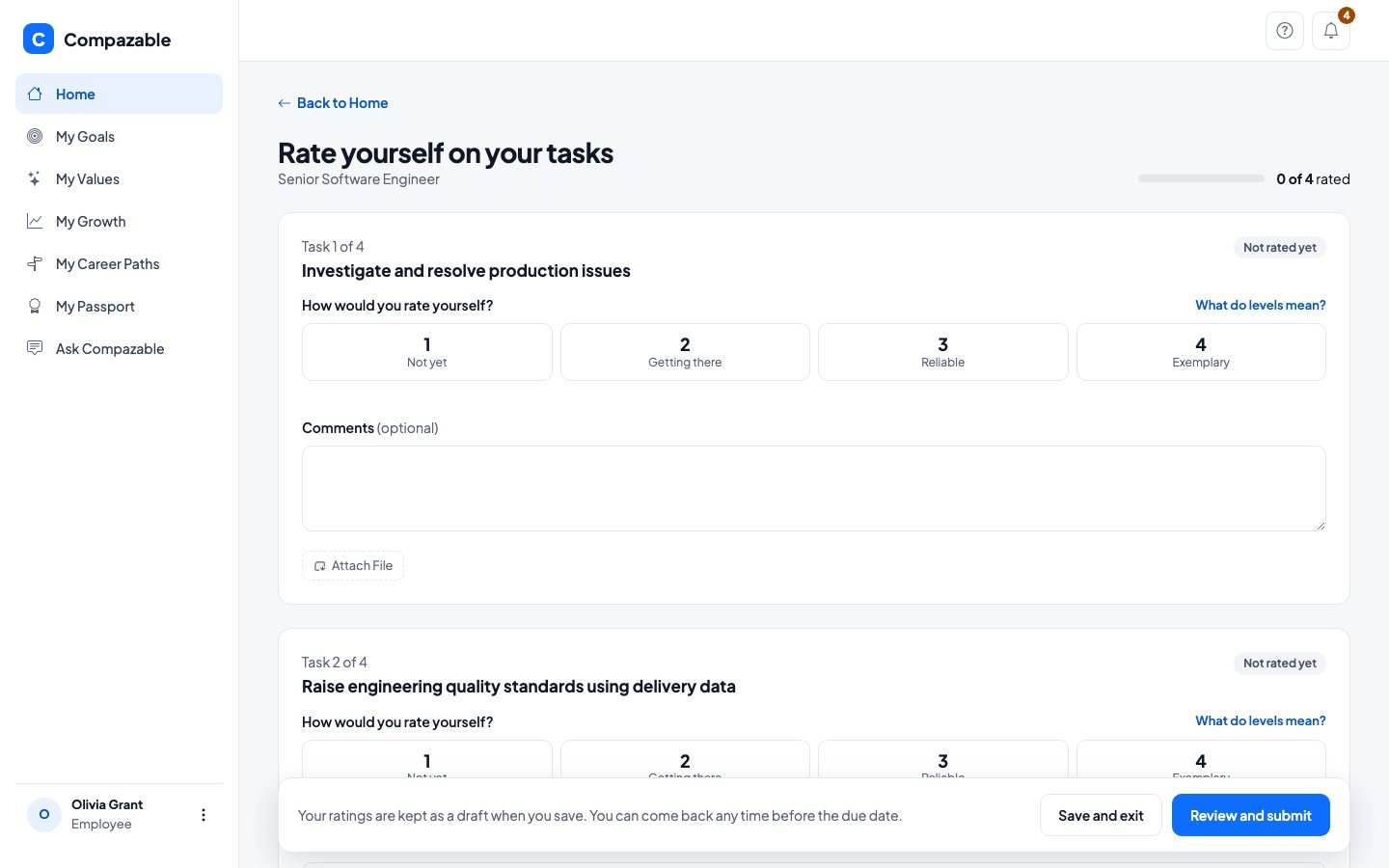
Self-evaluation

Rate yourself on your Tasks or your Competencies, using the same levels your manager will use. "What do levels mean?" opens the ladder.

What to noticeRatings are kept as a draft when you save. You can come back any time before the due date.
Brightwave Technologies · demo data
Self-evaluation screen asking the employee to rate themselves on a task from Not yet to Exemplary
Step 3

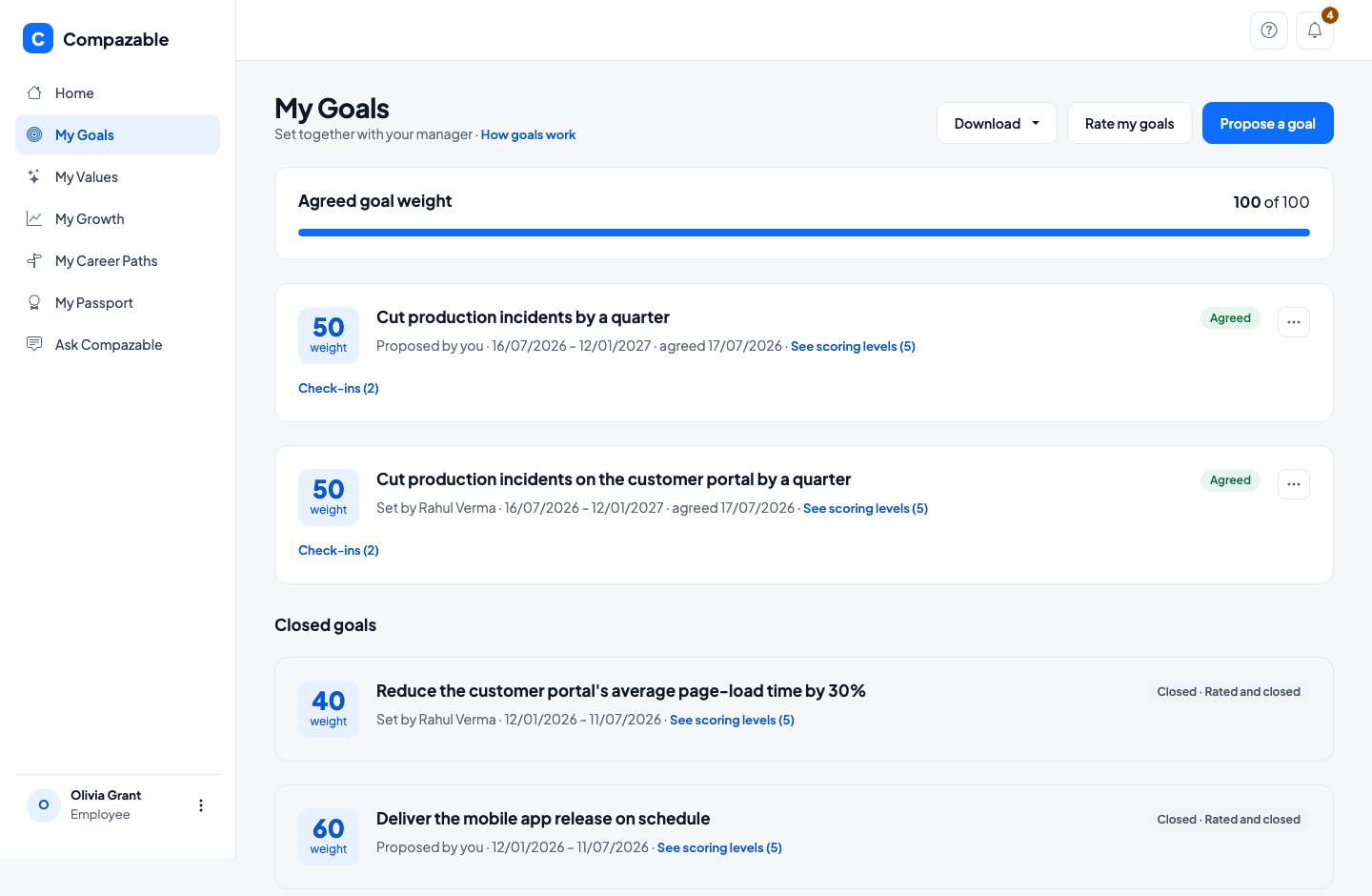
My Goals and My Values

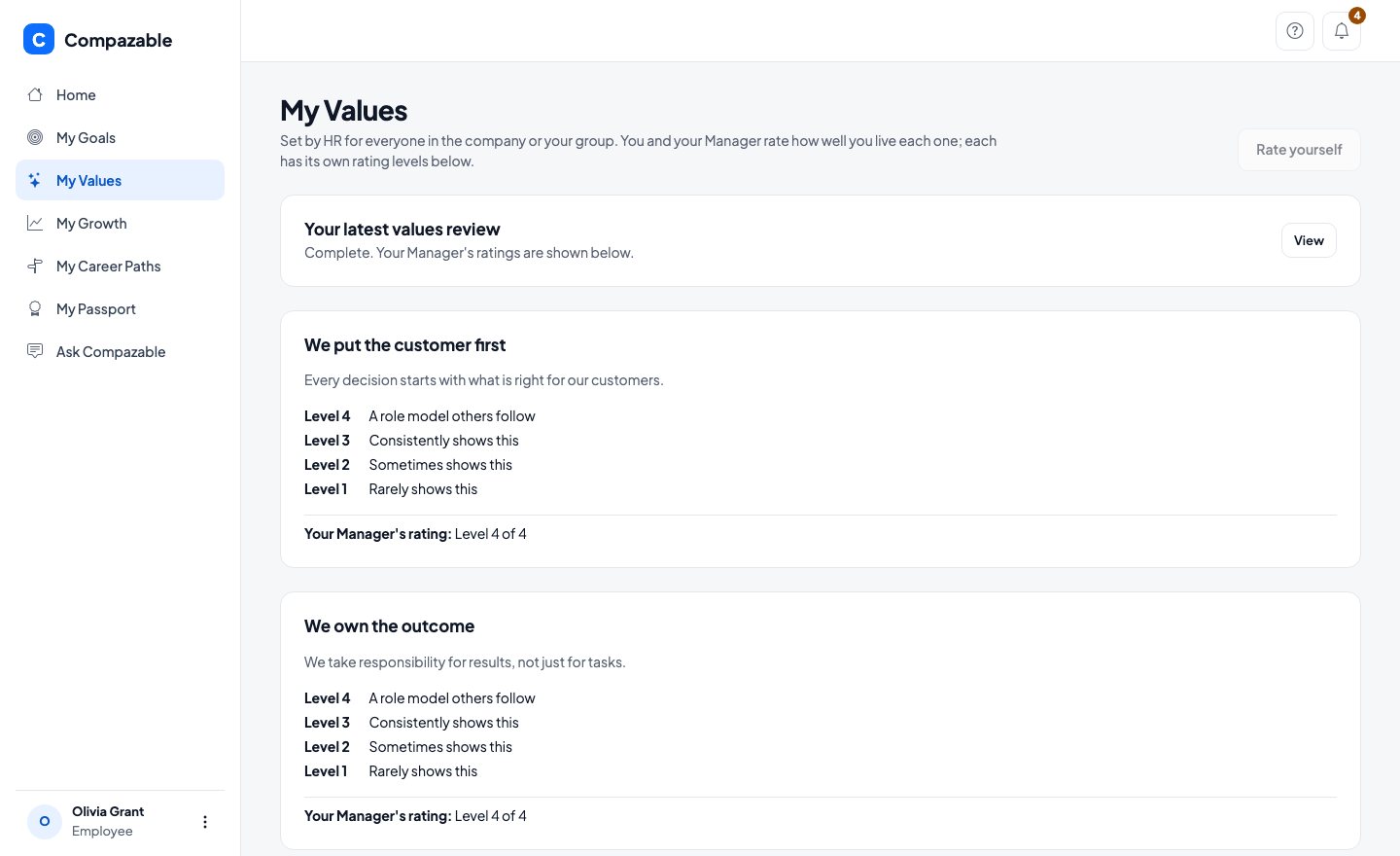
Your agreed Goals with their weights, check-ins and last period's closed Goals. Below them, the Values you are rated on, with the levels written out and your manager's rating once the review is shared.

What to noticeAgreed goal weight is 100 of 100. Values are set by HR, and you and your manager both rate how well you live each one.
Brightwave Technologies · demo data
My Goals screen with two agreed goals and two closed goals
Brightwave Technologies · demo data
My Values screen with three company values, each with its levels and the manager's rating
Step 4

My Growth

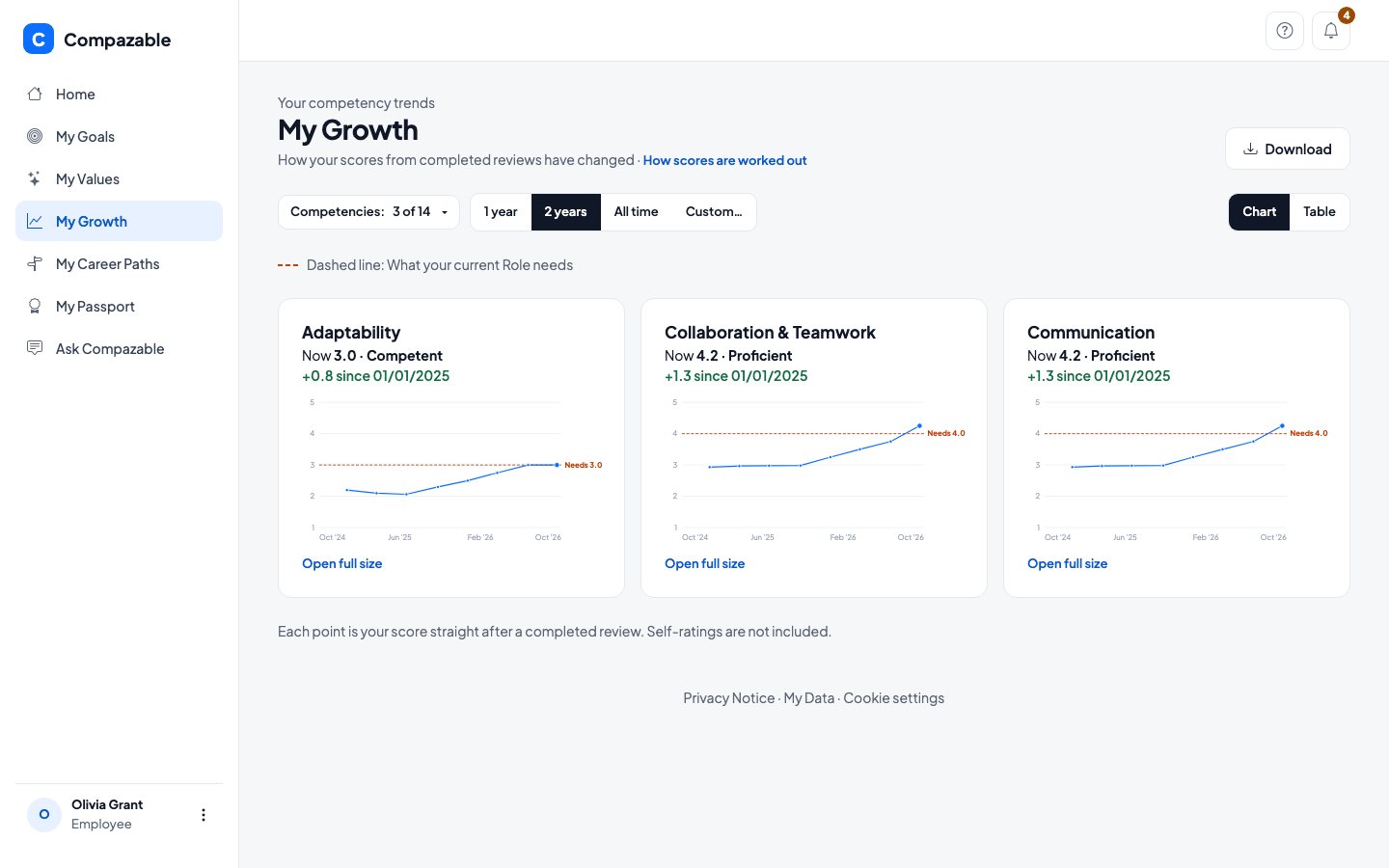
Your own Competency scores over time. A dashed line marks what your current Role needs, so you can see whether you are above or below it.

What to noticeCollaboration and Teamwork now stands at 4.2, up 1.3 over the two years shown, against the 4.0 the Role needs.
Brightwave Technologies · demo data
My Growth charts for Adaptability, Collaboration and Teamwork, and Communication with a dashed line for what the current Role needs
Step 5

My Career Paths

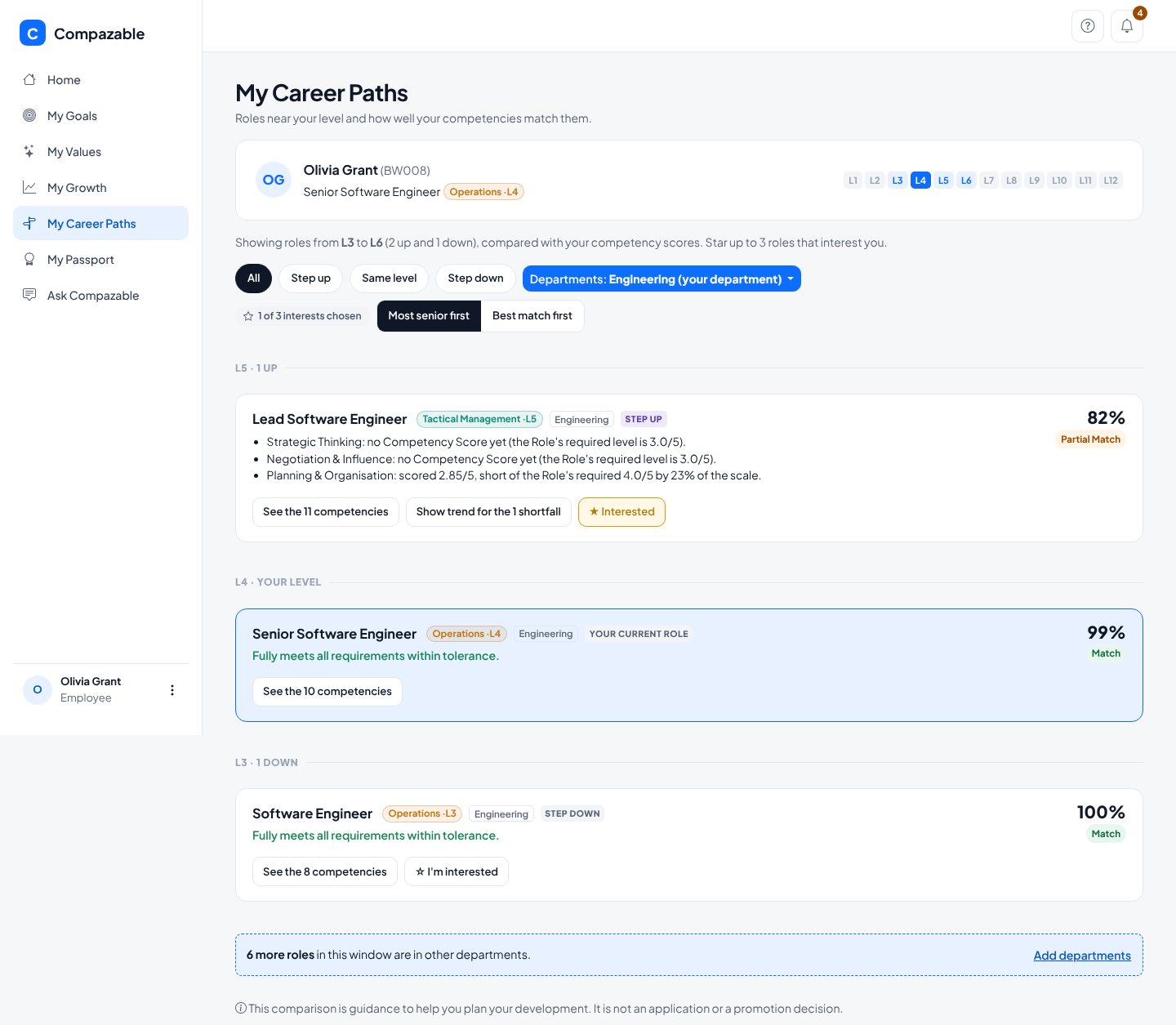
The Roles near your level, ranked by how well your Competencies match them, with exactly what is missing. It opens on your own department, and you can add others. Star up to three Roles that interest you.

What to noticeLead Software Engineer, a Role Olivia has starred, shows 82%, and says why: Planning and Organisation scored 2.85 against the 4.0 the Role needs. The page states plainly that this is guidance, not a promotion decision.
Brightwave Technologies · demo data
My Career Paths for Olivia Grant showing Engineering Roles one level up to one level down, with Lead Software Engineer at 82 percent and the specific shortfall listed
In short

What you can do, and what to know.

You can

  • See what you are rated on before you are rated
  • Rate yourself, and see how your manager scored the same things
  • Watch your Competencies move against what your Role needs
  • Star up to three Roles you are interested in, and see what each would take
  • Propose your own Goals, where your company allows it

Good to know

Peer feedback about you stays private to your manager, reviewer and HR. My Data shows you what Compazable holds about you.

Get in touch

Put your company's competencies on the record.

Bring your own Roles and Competencies. A 60 minute working session built around your real setup, with no preparation needed on your side.

Filled in from the page you came from.