For the hiring team

Choose people on evidence, and measure them against your best performers.

Score a candidate against the Role's own requirements, see how they stack up against the best person already in the Role, and carry the evidence into their employee record.

Steps 1 to 3 are shown as Rahul Verma in Interviewer mode, with the candidates Jack Sullivan and Julia Novak. Step 4 is shown as Rebecca Hartley, Head HR. Every name and number is demo data.

A walk through your screens

In the order you would use them.

Step 1

Assess and match

Score a candidate on the Role's Tasks and Competencies. Compazable shows a Match % and a bar for each Competency, with a black marker where the Role needs them. Open "Compare with others" to see the best current employee and the best other candidate.

What to noticeJack matches Software Engineer at 92.7%. The best employee now in the Role, Priya Nair, is at 96.1%, and the best other candidate, Julia Novak, at 78.1%. A shortfall only counts as a gap above a threshold HR sets.
Brightwave Technologies · demo data
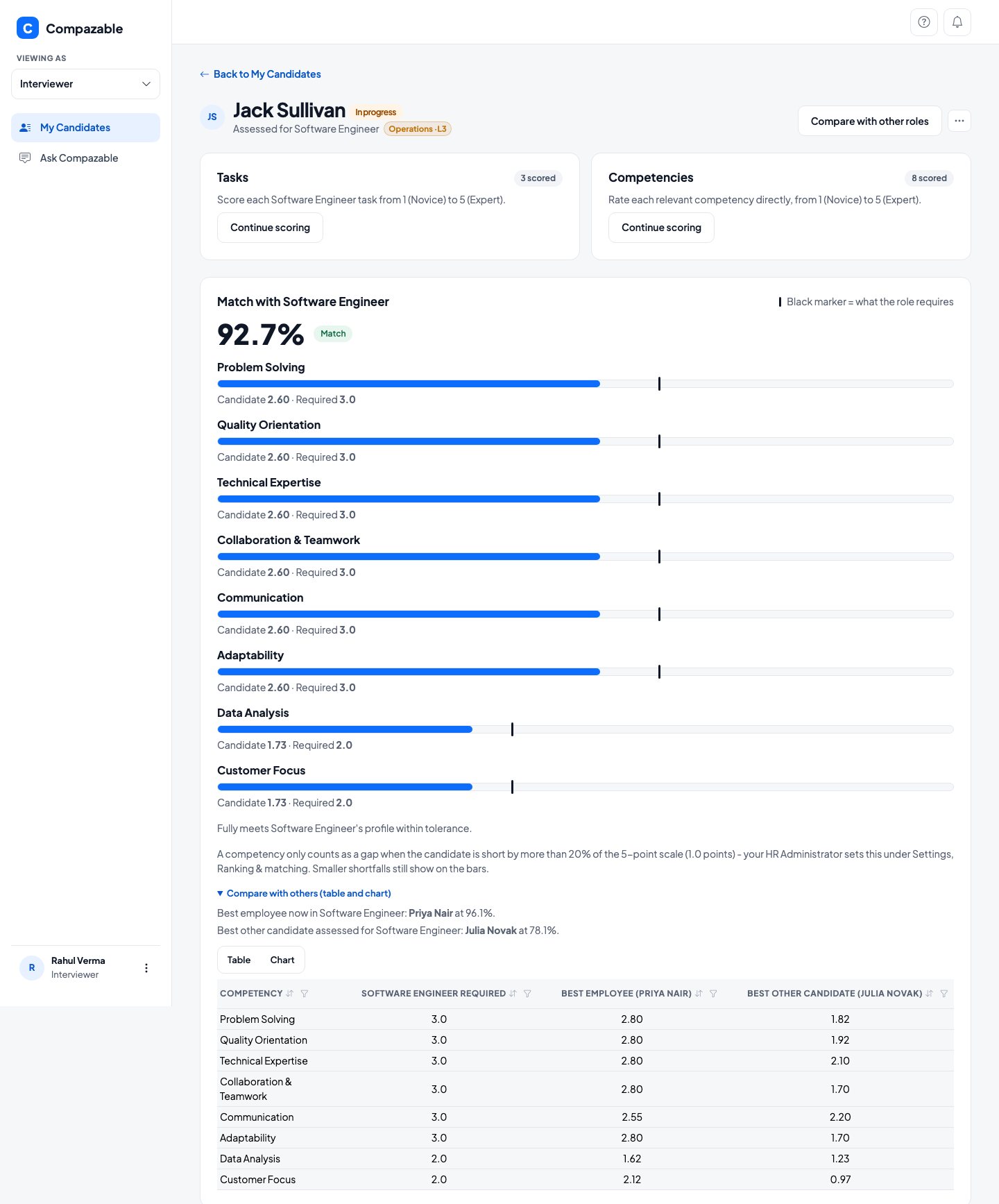
Candidate screen for Jack Sullivan showing a 92.7 percent match with Software Engineer, a bar per competency, and a table comparing him with the best employee and best other candidate
Step 2

Compare with other Roles

Add a second or third Role to the same candidate. Compazable remembers them and ranks the Roles by match, so one interview can answer where this person would fit best.

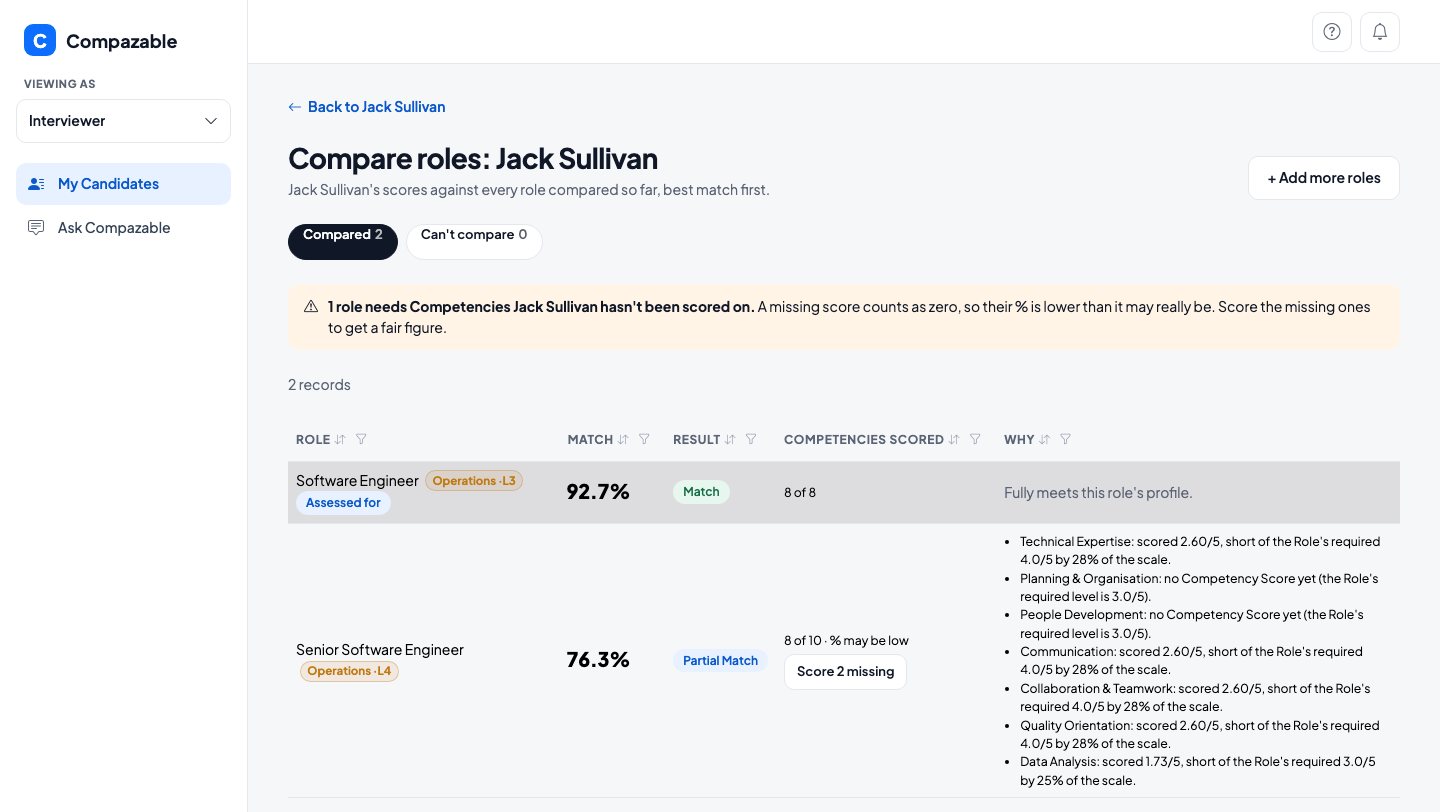
What to noticeSenior Software Engineer shows 76.3%, flagged as possibly low because 2 of its 10 Competencies are not scored yet. "Score 2 missing" fills only those two.
Brightwave Technologies · demo data
Compare roles screen for Jack Sullivan with Software Engineer at 92.7 percent and Senior Software Engineer at 76.3 percent, with the reasons listed
Step 3

Hire and convert

Turn an accepted candidate into an Employee record in one step. The interview history stays linked to them.

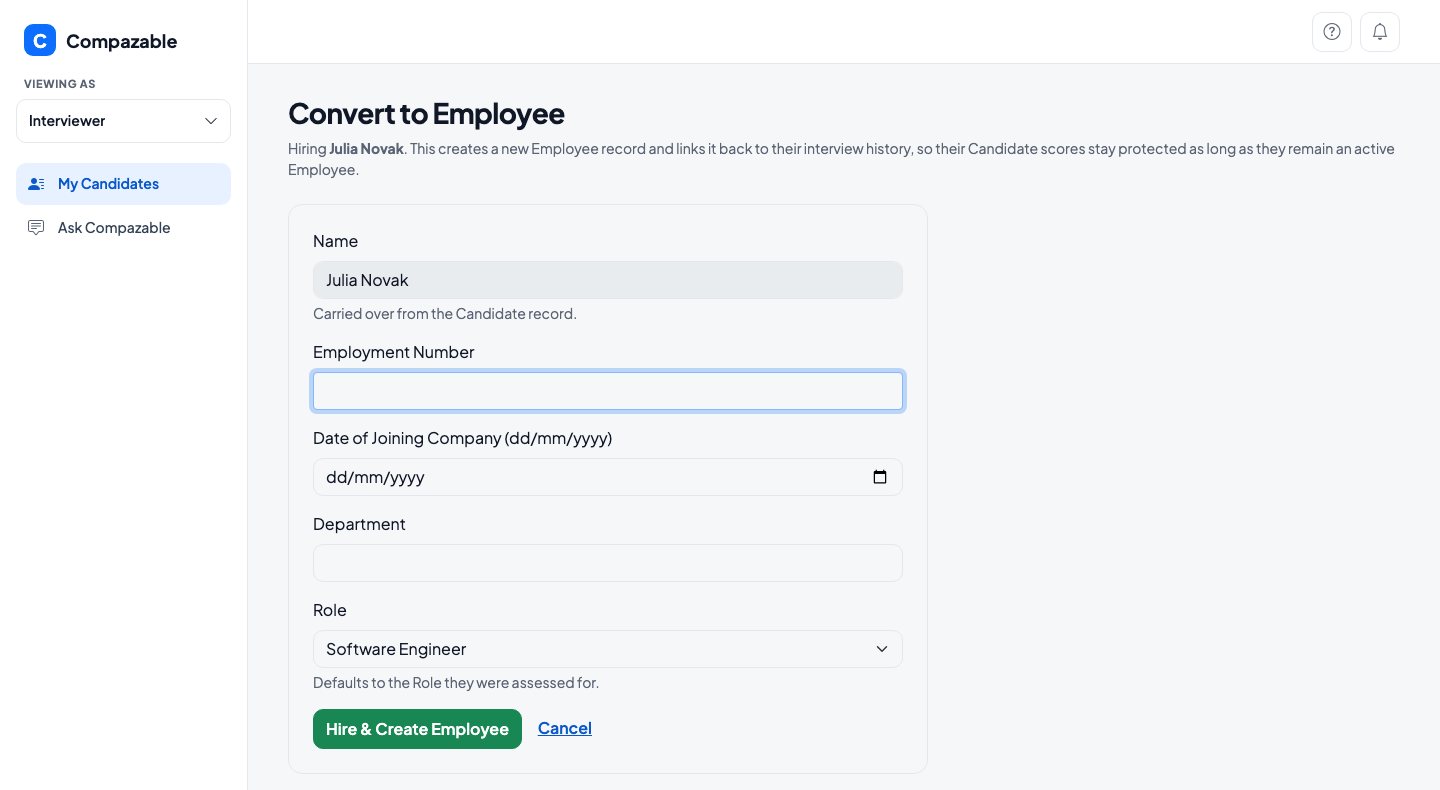
What to noticeJulia Novak's name is carried over. You add an employment number, a joining date and a Department, and the Role defaults to the one she was assessed for.
Brightwave Technologies · demo data
Convert to Employee form for Julia Novak with employment number, date of joining, department and role fields
Step 4

Role Model benchmark

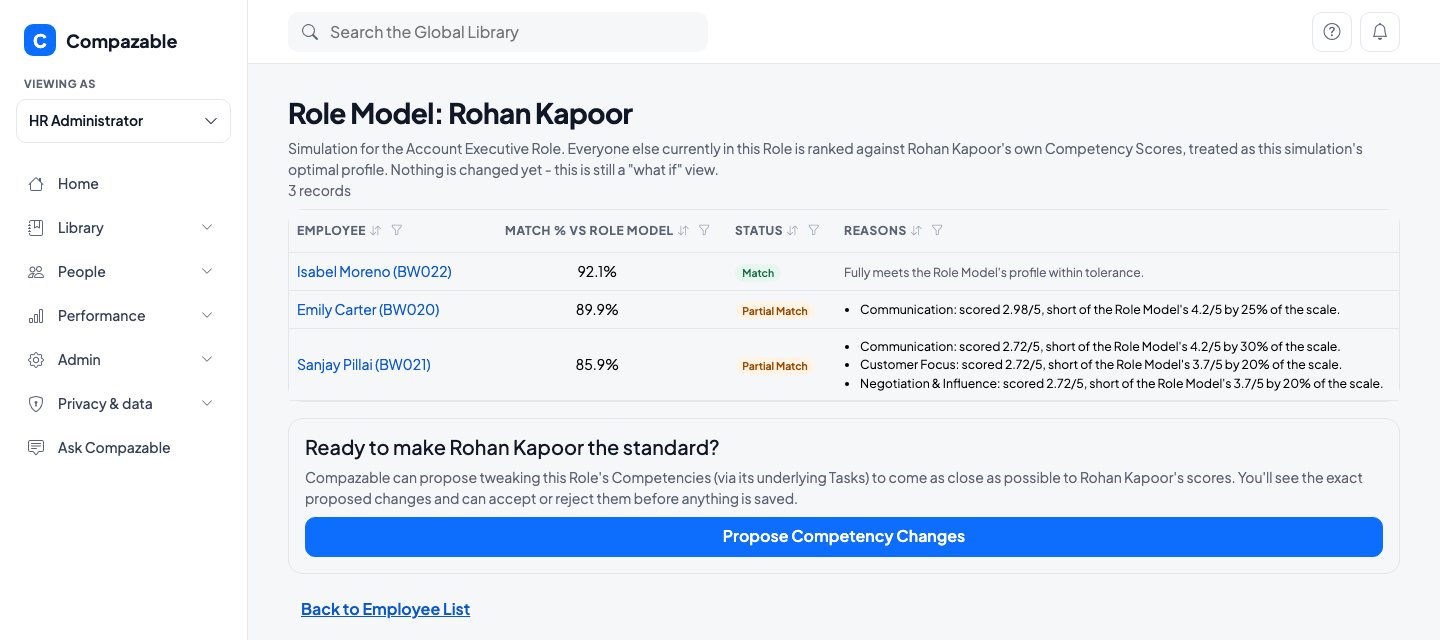
Pick a high performer as the Role Model. Compazable ranks everyone else in that Role against their profile and lists exactly where each falls short. It is a what-if until you accept anything.

What to noticeWith Rohan Kapoor as the Role Model for Account Executive, Isabel Moreno matches at 92.1% and Emily Carter at 89.9%. Compazable can then propose changes to the Role's Competencies to match him.
Brightwave Technologies · demo data
Role Model screen for Rohan Kapoor ranking three colleagues by match percentage with reasons, and a button to propose competency changes
In short

What you can do, and what to know.

You can

  • Use the same Competency language for hiring and for reviews
  • Weigh one candidate against several Roles at once
  • See how a candidate compares with your best current employee
  • Benchmark a Role against a high performer you choose

Good to know

Every review score still comes from a person. AI only drafts suggestions when you build the Competency library, and you decide what to keep.

Get in touch

Put your company's competencies on the record.

Bring your own Roles and Competencies. A 60 minute working session built around your real setup, with no preparation needed on your side.

Filled in from the page you came from.